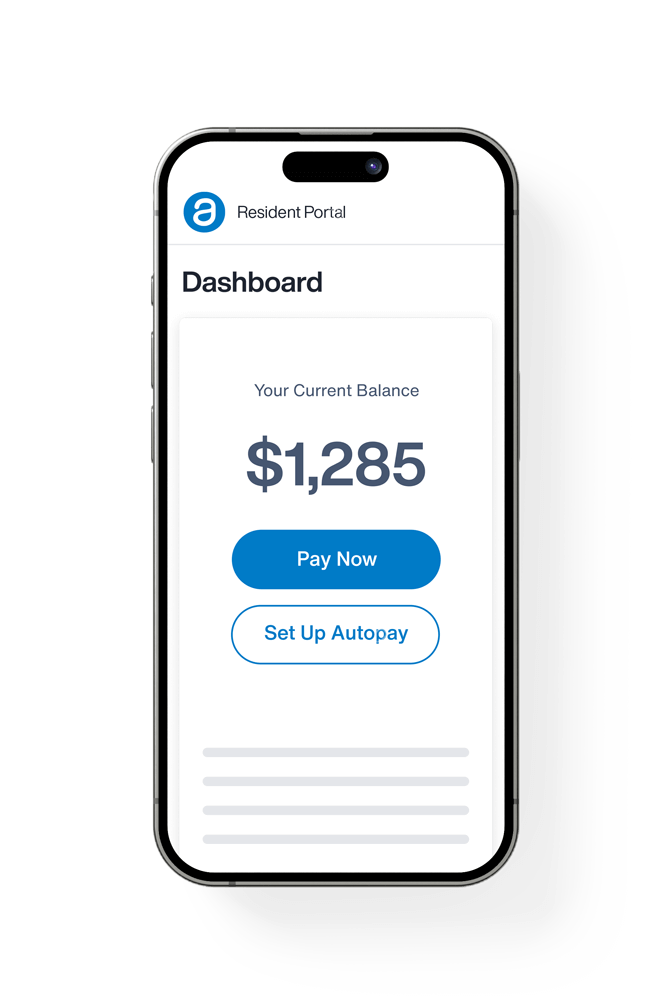
Resident Portal
Pay rent, submit maintenance requests, and view your account from anywhere.
Your Online Portal
Your account at your fingertips. Anytime, anywhere.
Frequently Asked Questions
Prospective Resident FAQ's
What kind of properties do you offer?
Reside Property Management offers a variety of rental homes to fit different lifestyles, needs, and budgets. Our portfolio includes single-family homes, duplexes, townhomes, and apartments, with options ranging from one to five bedrooms. Whether you're looking for a cozy apartment or a spacious home with a yard, garage, or basement, we have options throughout the Wichita and metro area.
How do I schedule a tour?
You can schedule a tour through the Availability tab at the top of our website. Vacant homes and new-construction models are typically available for self-guided tours. Once scheduled, you’ll receive showing instructions along with a one-time access code so you can tour the home at your convenience.
In some cases, the specific home you’re interested in may not be available to tour. Our scheduling system may redirect you to the closest available similar home or model home. If this occurs, you’ll be asked to confirm the alternate location before continuing with your tour request.
For the privacy and comfort of our current residents, occupied homes are not available for tours until the resident has moved out.
How do I apply to become a Resident?
To apply, simply visit our Availability page, select the home you’re interested in, and complete the online application. Each person 18 years of age or older who will reside in the home must submit a separate application.
As part of the application process, we review credit and background history, verify employment or other qualifying income, and review prior rental or ownership history.
How long does it take to process an application?
Most applications are processed within 1–3 business days once all required information and documentation have been received. Processing times may vary depending on how quickly we can verify income, employment, rental history, and other application information.
To help avoid delays, please make sure your application is complete and all requested documentation is submitted promptly.
How long can I hold a home before moving in?
Once your application is approved and the required security deposit is received, a vacant, move-in-ready home may generally be held for up to 14 days before your lease begins.
For homes that are still occupied or being prepared for move-in, timing may vary based on the anticipated availability date. Your leasing team will provide the earliest available move-in date and applicable timeframe before your lease is finalized.
Is the application fee refundable?
No. The $50 application fee per adult applicant is non-refundable and covers the cost of processing the application, including applicable credit and background screening. The application fee is non-refundable regardless of the application’s approval or denial.
What lease terms do you offer?
Our standard lease term is 12 months. Select properties may offer 6-11 month lease options with an additional short-term lease fee. Availability and fees may vary by property, so please contact our team for additional details.
How much is the Security Deposit?
The security deposit is equal to one month’s rent and is due upon application approval to secure the home. Please note that the home is not considered reserved until the required deposit has been received.
Can you hold a home while I decide?
Homes are available on a first-qualified, first-secured basis and cannot be held while you decide. A home is only considered secured once your application has been approved and the required security deposit has been received.
Because availability can change quickly, we encourage you to apply once you’ve found a home that meets your needs.
What is included in the rent price?
What’s included in your monthly rent varies by property. In many of our newer development communities, services such as lawn mowing, irrigation, and general property maintenance may be included.
For single-family homes, residents are generally responsible for lawn care and irrigation. Utility responsibilities also vary by property and may include electricity, gas, water, sewer, trash, and other services.
Please review the individual property listing for specific details about included services, utilities, and resident responsibilities.
Do you accept housing assistance or vouchers?
Yes! We accept housing assistance and rental vouchers at select properties and in certain areas. Eligibility may vary depending on the property, location, program requirements, and applicable rent limits.
If you receive housing assistance, please contact our leasing team before applying so we can help you identify available homes that may qualify for your program.
Is a Co-signer required?
A co-signer is not required for every applicant. However, applicants without prior rental or mortgage history may be required to have a qualified co-signer. Other circumstances may also require additional approval or conditions based on our screening criteria.
Any exceptions are reviewed and approved on a case-by-case basis by management.
I have negative reporting on my credit; will I be approved?
Having negative items on your credit does not automatically mean your application will be denied. We encourage applicants to apply, as applications are reviewed based on our overall screening criteria.
If an applicant does not meet all standard requirements, additional approval conditions may be considered, such as adding a qualified co-signer or paying additional rent in advance. These options are evaluated on a case-by-case basis and are not guaranteed.
Are pets allowed?
Yes! Most of our properties are pet-friendly. Our standard policy allows up to two pets, although some properties may allow additional pets with prior approval. Pet limits and restrictions may vary by property.
A refundable pet deposit equal to half of one month’s rent is required, along with monthly pet rent of $25 for the first pet and $35 for each additional pet. The pet deposit is refundable at move-out, less any applicable pet-related damages or charges.
Caged and aquatic pets are subject to a $250 non-refundable pet fee.
Pet policies, including number of pets, breed, weight, and other restrictions, may vary by property. Please review the individual property listing or contact our team for details.
Approved Applicant FAQ's
My Application has been approved, what's next?
Once your application is approved, you’ll have 24 hours to submit your security deposit and secure the home. Once the deposit is received, our team will prepare your lease for review and signature.
The security deposit can be paid online through our website, in person at our office, or by phone. If the deposit is not received by the deadline, we may move forward with the next qualified applicant and make the home available to others.
What do I need to do before moving in?
Before move-in, all resident-responsible utilities must be transferred into your name with service beginning no later than your lease start date. Confirmation of utility service must be provided to our team before keys can be released. Because some utility providers may require up to five business days to complete a transfer, we recommend arranging services well in advance. Delayed utility transfers may result in additional fees or penalties as outlined in your lease.
Renters insurance is also required throughout your residency. Proof of coverage must be uploaded prior to receiving your keys and coverage must remain active for the duration of your lease. Renters insurance helps protect you and your personal belongings in the event of an unexpected loss or damage.
What is due at move-in?
Before receiving your keys, all move-in funds and required documentation must be completed. This includes your security deposit (typically paid after application approval), any applicable pet deposit, first full month’s rent, prorated rent, and any conditional approval fees.
You’ll also need to provide utility confirmations and ensure that all lease documents, including any required co-signer paperwork, have been fully signed.
Your exact move-in total may vary, so please contact our team if you have questions about the amount due before your move-in date.
How do I pay the amounts due at move-in?
You can pay your move-in balance conveniently through your Resident Portal, which you’ll also use throughout your residency to pay rent, submit maintenance requests, and access important lease documents.
Payments may also be made in person at our office, by phone, or through our website. Please note that additional processing or convenience fees may apply depending on the payment method selected.
Can I change my move-in date after signing my lease?
Once your lease has been signed, your move-in date is considered finalized. We understand that circumstances can change, so you may contact our team to request a modification; however, changes are subject to approval and availability.
Approved changes to the move-in date after lease signing may be subject to a $250 lease modification fee. This fee does not apply when the move-in date must be changed by Reside.
Current Resident FAQ's
What are your office hours?
Our office is open Monday through Friday from 8:00 AM to 5:00 PM. While walk-ins are welcome, we recommend scheduling an appointment before your visit so we can ensure a team member is available and ready to assist you.
I just moved in - is there anything else I need to do?
Yes! After moving in, please complete a Move-In Condition Form and return it to our office within three days of your move-in date. Take time to thoroughly walk through your new home and document any existing damage, dings, nicks, stains, scratches, or other conditions you do not want attributed to you at move-out. Photos are strongly encouraged whenever possible.
Your completed form will be kept in your resident file as a record of the home’s condition when you took possession. If a Move-In Condition Form is not returned within three days, the home will be considered to have been received in good condition with no pre-existing damage or concerns to report.
This documentation helps ensure you are not held responsible at move-out for conditions that were present before your residency began.
How do I pay rent?
The easiest and preferred way to pay rent is electronically through your Resident Portal, where you can securely make and manage payments online. Electronic payments are encouraged for faster processing and convenient access to your payment history.
If you are unable to pay electronically, in-office payments may be accepted with a $25 in-office payment processing fee.
Additional convenience or processing fees may apply depending on the payment method selected.
When is rent paid and how much is the late fee?
Rent is due on the 1st of each month and is considered late if the full balance has not been received by 5:00 PM Central Time on the 3rd.
Late fees vary based on your lease agreement. Please refer to your lease for the applicable late fee amount and payment requirements.
Can I add a pet after move-in?
Yes! If your home allows pets, you may request to add a pet after move-in. All pets must be approved and added to your lease before being brought into the home.
A refundable pet deposit equal to half of one month’s rent is required, along with monthly pet rent of $25 for the first pet and $35 for the second pet. A maximum of two pets is permitted unless otherwise approved.
The pet deposit is refundable at move-out, less any applicable pet-related damages or charges, while monthly pet rent is non-refundable.
Can I add or remove someone from my lease?
Yes. You may request to add or remove someone from your lease, but all changes must be reviewed and approved by management before they take effect.
Anyone being added who is 18 years of age or older must complete an application and meet our rental qualification requirements. Changes to an existing lease may also require signatures from all leaseholders and are subject to a $250 lease modification fee.
Please contact our team before making any changes to the occupants of your home so we can guide you through the process.
Can I sublease or Airbnb my home?
No. Subleasing, short-term rentals, and listing your home on platforms such as Airbnb or Vrbo are not permitted.
Only individuals listed and approved as occupants under the lease may reside in the home. Unauthorized subleasing or short-term rentals may be considered a violation of your lease agreement.
I need to move out before my lease expires due to extenuating circumstances; what do I do?
If you need to move out before your lease expires, please contact our team as soon as possible to discuss your situation and available options.
Our standard early lease termination process requires 30 days’ written notice, a signed lease cancellation agreement, and a lease cancellation fee equal to two months’ rent. Your security deposit will be processed according to the terms of your lease after move-out, less any applicable charges.
We understand that extenuating circumstances can arise, so we encourage you to speak with our team about your specific situation. Any exceptions or alternative arrangements are reviewed on a case-by-case basis.
I plan to move out at the end of my lease; what do I need to do?
If you plan to move out at the end of your lease, please provide written notice at least 60 days before your lease expiration date, as required by your lease.
Before moving out, review the Move-Out Checklist available in your Resident Portal for cleaning, key return, and other move-out requirements. All resident-responsible utilities must remain active in your name through your lease expiration date, even if you physically move out earlier. Early utility disconnection may result in reconnection fees or other applicable charges.
After move-out, your security deposit disposition and any applicable refund will be processed within 30 days and mailed to the forwarding address you provide. If no forwarding address is provided, it will be sent to the last known property address.
After moving, how and where do I return my keys?
All keys, garage remotes, access devices, and other property-issued items must be returned to our office no later than your lease expiration date. Keys may be returned during regular business hours or placed in our office drop box after hours.
Please make sure all items are clearly labeled with your name and property address. Your move-out is not considered complete until possession of the home has been returned and all required keys and access devices have been received.
What could be deducted from my security deposit?
Your security deposit may be used for unpaid rent or other balances due under your lease, cleaning beyond normal expectations, damage beyond ordinary wear and tear, missing keys or access devices, and other resident-responsible charges permitted by your lease and applicable law.
To help avoid unexpected charges, review the Move-Out Checklist in your Resident Portal, complete all required cleaning and move-out tasks, and return all keys and access devices. After move-out, you’ll receive a security deposit disposition detailing any applicable deductions and the remaining refund, if any.
Can I change my move-out date after giving notice?
Once you have submitted your notice to vacate, your move-out date is considered finalized and we may begin marketing the home for a future resident. If your plans change, please contact our team as soon as possible.
Requests to change or extend a move-out date are subject to management approval, property availability, and the terms of your lease.
I have another question about my lease, who do I contact?
For questions about your lease or residency, our team is happy to help! You can send us a message through your Resident Portal or call our office at 316-202-5440 during regular business hours.
Using the Resident Portal is a great option for lease-specific questions, as it allows our team to review your account and respond accordingly.
Maintenance FAQ's
What qualifies as an Emergency Maintenance item?
Emergency maintenance situations are issues that require immediate attention to protect your safety or prevent significant damage to the property. Examples include uncontrolled or free-flowing water from a burst pipe, a sewer backup into the home, smoke or sparks from electrical components, loss of heat resulting in an interior temperature below 60°F, or loss of air conditioning resulting in an interior temperature above 80°F.
For these situations, please contact our Emergency Maintenance Line at 316-202-5440. All non-emergency maintenance requests should be submitted through your Resident Portal so our team can address them during normal business operations.
How do I report an Emergency Maintenance item?
For any fire, smoke, or immediate life-safety emergency, call 911 first before contacting our team.
For a power or gas outage, please contact your utility provider first to confirm the issue is not related to your account or a neighborhood-wide outage.
For all other emergency maintenance issues, call 316-202-5440. After normal business hours, this line is reserved for emergency maintenance only. Non-emergency calls or messages received after hours will be addressed the next business day.
What maintenance items are my responsibility?
Residents are responsible for routine care and upkeep of the home. This includes replacing light bulbs, changing HVAC filters at least every three months, replacing batteries in smoke alarms, keeping heating and cooling equipment free of dirt and debris, maintaining flower beds where applicable, properly disposing of trash, and keeping the home clean and well maintained.
Before submitting a maintenance request, we also ask residents to complete basic troubleshooting for common household issues when appropriate. If the issue continues after troubleshooting, please submit a maintenance request through your Resident Portal
I have a regular maintenance request, who do I contact?
All non-emergency maintenance requests must be submitted through your Resident Portal so they can be properly documented, assigned, and scheduled.
Please submit each maintenance issue as a separate request and include photos or additional details whenever possible to help our team diagnose the issue efficiently.
To help us effectively manage and complete open requests, we ask that residents avoid submitting duplicate requests for the same issue. You can track the status of your request through the Resident Portal.
I have no or partial power in my outlets.
If you have lost power to one or more outlets, first check your GFCI outlets and press the RESET button. GFCI outlets may be located in the kitchen, bathrooms, garage, basement, or other areas of the home, and one GFCI can sometimes control multiple outlets.
You can also check your electrical panel for a tripped breaker and reset it if needed. If power is still not restored after these steps, please submit a maintenance request through your Resident Portal.
If you notice smoke, sparks, burning odors, or signs of overheating, do not attempt to troubleshoot the issue and contact our Emergency Maintenance Line immediately.
My plumbing is backed up or won't drain.
Residents are responsible for helping keep sinks, drains, and toilets clear and free-flowing. To prevent clogs, toilets should only be used for human waste and toilet paper. Items such as wipes (including those labeled “flushable”), feminine hygiene products, paper towels, Q-tips, condoms, grease, and other materials should never be flushed or put down drains.
If you experience a backup or drain that will not clear with basic troubleshooting, please submit a maintenance request through your Resident Portal. If there is an active sewer backup or overflowing water that could cause property damage, contact our Emergency Maintenance Line immediately.
My garbage disposal has stopped working. What should I check?
If your garbage disposal stops working, first make sure it is turned off and check for any visible blockage. Never place your hand or fingers inside the disposal. You can also try pressing the reset button, typically located on the bottom or side of the unit.
Garbage disposals are designed for small amounts of appropriate food waste and should not be used for bones, grease, large food scraps, meat, eggshells, or other items that may cause jams or clogs.
If the disposal still isn’t working after basic troubleshooting, please submit a maintenance request through your Resident Portal.
I'm locked out of my home - what do I do?
If you’re locked out during our regular business hours, Monday through Friday from 8:00 AM to 5:00 PM, please contact our office for assistance. An additional or replacement key may be available for a fee.
For after-hours lockouts, call our emergency maintenance line at 316-202-5440 or contact a local locksmith. Please note that after-hours assistance and locksmith services may be subject to additional fees, and response times may vary.
I am noticing insects or pests around my home.
If you notice insects or pests in or around your home, start with basic preventative measures, including keeping food, pet food, and trash properly sealed and maintaining a clean environment. Unless otherwise included in your lease or services, routine preventative pest control is generally the resident’s responsibility.
Minor pest concerns, such as ants, spiders, or occasional mice, can typically be addressed with appropriate household pest-control products or traps. If the issue continues after preventative measures have been taken or you notice signs of an infestation, please submit a maintenance request through your Resident Portal so our team can evaluate the situation.
Want to make preventative maintenance easier? Ask our team about the Preventative Package Program (PPP), which includes preventative pest treatment and HVAC filter delivery.
My air conditioner isn't cooling. What should I check first?
Before submitting a maintenance request, check that your thermostat is set to COOL, the temperature is set below the current room temperature, and the HVAC filter is clean and properly installed. You should also check your electrical panel for a tripped breaker and make sure the outdoor unit is free of excessive debris or obstruction.
If the system is running but not cooling, or you notice ice on the unit or HVAC lines, turn the system off and submit a maintenance request through your Resident Portal. If the interior temperature rises above 80°F, please contact our Emergency Maintenance Line.
My furnace isn't heating. What should I check first?
First, make sure your thermostat is set to HEAT and the temperature is set above the current room temperature. Check that your HVAC filter is clean, vents are open and unobstructed, and there are no tripped breakers.
If your furnace still does not produce heat, submit a maintenance request through your Resident Portal. If the interior temperature falls below 60°F, please contact our Emergency Maintenance Line.
If you smell gas, leave the home immediately and contact your gas utility provider or 911 from a safe location.
My toilet is overflowing. What should I do?
If your toilet begins overflowing, immediately turn off the water supply valve located near the base of the toilet to prevent additional water damage. Do not continue flushing the toilet.
For a minor clog, you may carefully attempt to clear it using a toilet plunger. If the toilet remains clogged, submit a maintenance request through your Resident Portal.
If water is actively overflowing and cannot be stopped, or sewage is backing up into the home, contact our Emergency Maintenance Line immediately.
My smoke detector is chirping. What should I do?
An occasional chirping sound usually indicates that the battery needs to be replaced. Residents are responsible for replacing smoke detector batteries as part of routine home maintenance.
After replacing the battery, press the test/reset button to ensure the detector is operating properly. If the chirping continues after installing a new battery, submit a maintenance request through your Resident Portal.
Never disconnect or remove a smoke detector. If the alarm is sounding and you see or smell smoke, leave the home and call 911 immediately.
My garage door isn't opening. What should I check?
First, make sure the garage door opener has power and check your electrical panel for a tripped breaker. If you're using a remote, try replacing the remote battery and check that the garage door's wall control has not been placed in lock mode.
Also check that nothing is blocking the safety sensors near the bottom of the garage door tracks. If the door is off its track, a spring or cable appears broken, or the door is stuck, do not attempt to force or repair it yourself. Submit a maintenance request through your Resident Portal.
My dishwasher isn't draining or cleaning properly. What should I do?
Make sure the dishwasher is being loaded properly and that dishes are not blocking the spray arms. Check the dishwasher filter and drain area for food or debris and clean them as needed.
Use only detergent specifically designed for dishwashers, and avoid overloading the appliance. If standing water remains after a completed cycle or the dishwasher continues to perform poorly after basic troubleshooting, submit a maintenance request through your Resident Portal.
My refrigerator isn't cooling. What should I check?
First, make sure the refrigerator has power and that the temperature controls have not accidentally been changed. Check that the doors are closing completely and that food or other items are not preventing a proper seal.
Avoid overpacking the refrigerator, as this can restrict airflow. If the refrigerator is still not cooling properly, submit a maintenance request through your Resident Portal as soon as possible and include the current refrigerator temperature, if known.
Who pays for a maintenance repair if the damage was caused by the resident?
If maintenance or repairs are needed due to resident-caused damage, misuse, neglect, or the actions of a resident’s occupants, guests, or pets, the resident may be responsible for the cost of the repair.
Our team will evaluate the issue and determine responsibility based on the circumstances and the terms of your lease. If the repair is determined to be resident responsibility, applicable labor, materials, vendor costs, and other related charges may be added to your account.